 Wordloop
Pitch
Shaped pitch — problem, proposed solution, appetite, rabbit holes, and no-gos.
Meeting Recording
Status: Active
Author: Ryan Nel
Date: 2026-04-26
Problem
Users of WordLoop cannot capture a meeting as it happens. Today, the only way a meeting enters the system is via audio file upload — a user records externally, exports the file, then imports it. There is no live capture flow.
The practical consequences are real:
- Upload friction — a user must run a separate recording tool, remember to export the file, and then import it into WordLoop. The cognitive overhead is real enough that most users don't bother for shorter or informal conversations.
- No real-time feedback — there is no visibility into what is being captured while a meeting is happening. Insights only appear after a full batch pipeline finishes.
- Lost signal — short conversations that don't warrant a formal recording never enter the system at all, even when they contain decisions that matter.
The ML infrastructure to support live transcription is already operational — it is not wired to any live input path.
Why Now
The ML service (AssemblyAI, speaker diarisation, task extraction) is proven through the file upload path. Building live capture now means the hard AI work is already done — this problem connects a live input wire to existing infrastructure. Every cycle we wait, users form habits around workarounds. Without live capture, WordLoop is a post-hoc analysis tool. With it, it becomes something you open at the start of a meeting.
Proposed Solution
The solution introduces a live capture flow directly into the browser, feeding real-time audio through the existing ML pipeline via streams/WebSockets. User interaction has three primary surfaces:
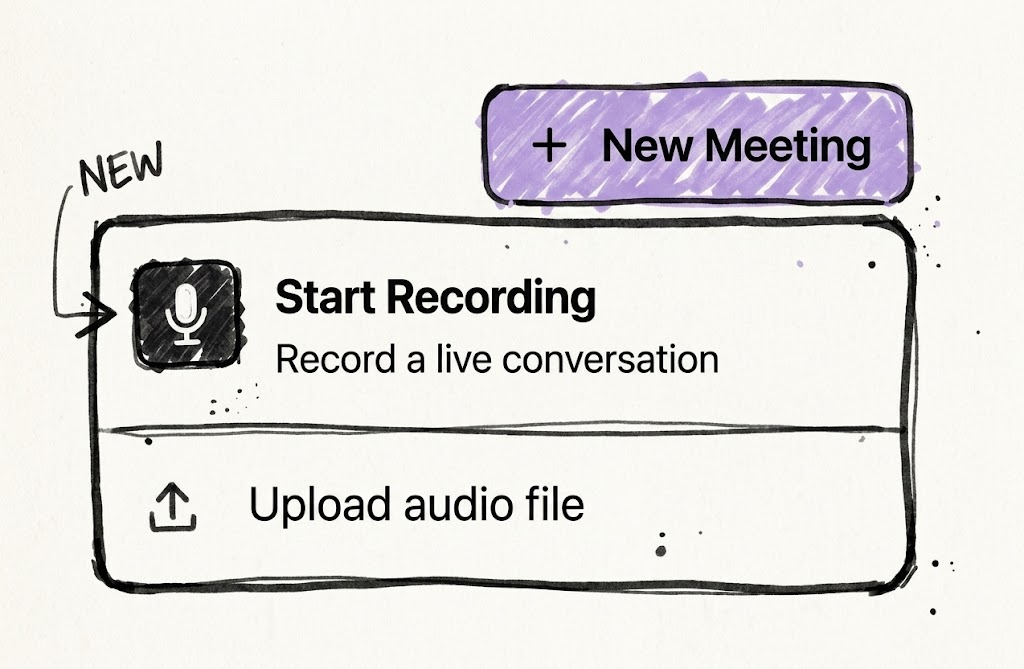
1. The Entry Point
The existing "New Meeting" button is expanded into a dropdown menu to offer a choice between uploading a file and starting a live recording.
2. The Active Recording View
A focused, distraction-free workspace that serves as the primary interface during a live meeting. It provides real-time feedback that the system is capturing and understanding the conversation.
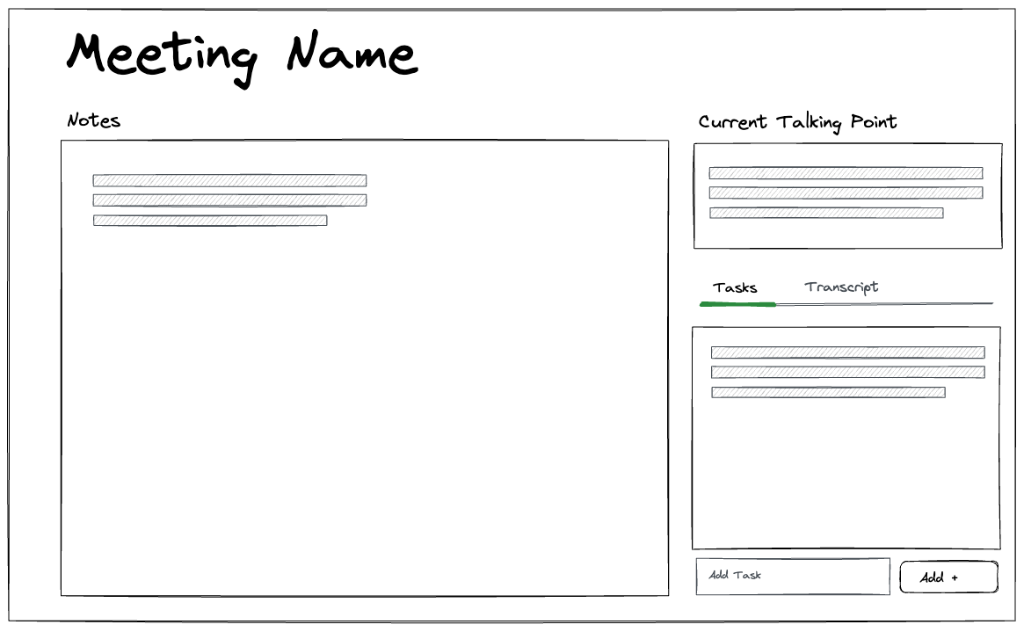
Key Interactions:
- Live Notes: Private scratchpad for the user.
- Context Panel (Right): Real-time topic summaries, running transcript, and captured action items.
3. The Meeting Summary (Post-Recording)
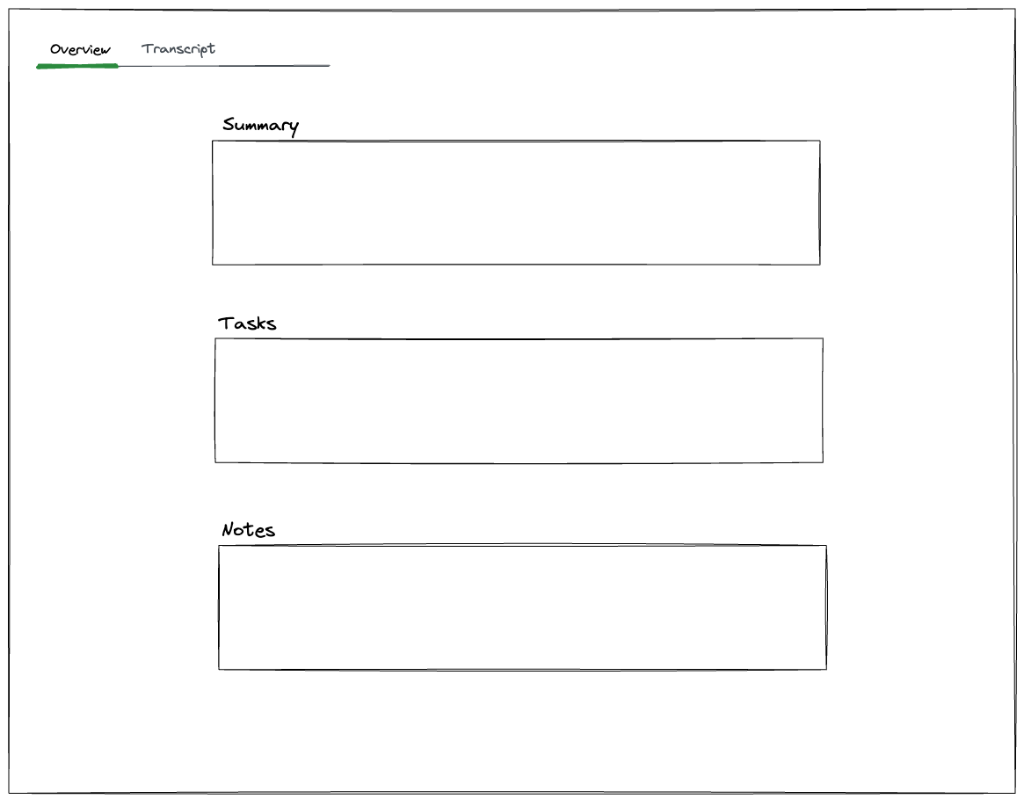
Once the meeting ends (Stop & Save), the user is taken to the standard Meeting Overview page. The design aligns with the existing Upload flow, but represents the final persistence of the live event.
Overview Tab
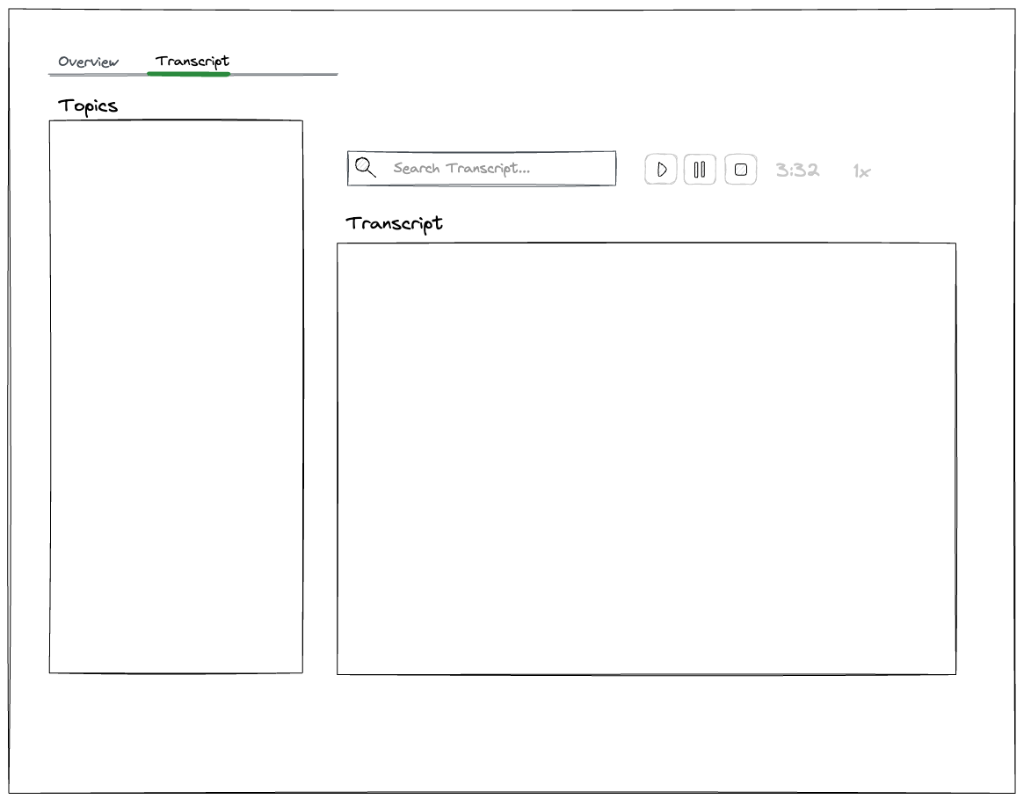
Transcript Tab
Rabbit Holes
Building a server-side mixing/composition step during the live session. The audio stays chunked on GCS until the session ends — the composition step only runs once, at stop time. Attempting to maintain a merged file during the session adds write contention and unnecessary complexity.
Trying to preserve real-time transcript quality for the post-meeting view. The live transcript is intentionally low-accuracy (streaming, for latency). Post-meeting re-processing replaces it entirely. Attempting to "patch" the live transcript rather than replace it would be complex and fragile.
Speaker voice profile enrichment as a live operation. Matching a voice during a session is necessary; enriching the enrolled profile with new embeddings is not. Profile updates happen during post-meeting processing when all segment embeddings are available. Doing this live adds latency and complicates the speaker matching hot path.
Persisting OPFS data beyond the current session. The OPFS buffer is a transport safety net, not a permanent store. It should be cleared as soon as Core confirms GCS receipt. Treating it as a backup or replay store is out of scope.
No-Gos
- Recording from mobile browsers (this bet).
MediaRecorderwith reliable WebM chunk output and OPFScreateSyncAccessHandle()are desktop browser capabilities. Mobile browsers have weaker support for both. This bet builds for desktop (Chrome/Edge primary, Safari 17+ best-effort). However, mobile recording is an important future capability — the architecture should not make choices that preclude it. If local audio buffering (OPFS) is not viable on mobile, the system should degrade to a direct-stream-only mode without the safety net. This is scoped deliberately so that a future mobile bet can extend the existing infrastructure rather than rebuild it. - Multi-device recording for a single meeting. One active recording session per meeting. Merging audio streams from multiple devices is not part of this bet.
- Live collaboration on notes. Notes are a private per-user scratchpad. Real-time multi-user editing (like Google Docs) is not part of this bet.
- Exporting or downloading the recording. The audio is stored in GCS and made available for playback via signed URL. Download/export as a feature is not part of this bet.
- Custom vocabulary or transcription hints. AssemblyAI's default transcription model is used as-is. Custom vocabulary tuning or domain-specific language models are out of scope.
- Pause/resume during a live recording. A recording runs continuously from start to stop. Pause introduces session-split complexity (multiple audio segments, transcript gap handling, timer semantics) that doesn't justify the cost for v1. Captured as a separate problem statement — users will want to "go off record" temporarily.
- System audio capture (
getDisplayMedia). This bet captures the user's microphone only. Capturing system audio (e.g., a Zoom call playing through speakers) requires display media permissions and a different audio routing pipeline. Captured as a separate problem statement — this is the natural next capability after mic-only recording.